Quarterly tax deadline is Jan 15. See how much you owe penalties
1099 Tax Calculator

Are you self-employed?
This includes freelancers and business owners.
OnlyFans Tax Calculator: How to Include OnlyFans' Income in Your Tax Return
Managing your taxes as a self-employed person on OnlyFans might be difficult, particularly if you’re new to the digital content creation industry. To stay in compliance with IRS regulations and prevent fines, it is essential to comprehend the tax implications of your profits. We’ll walk you through the necessary paperwork, filing specifications, and eligible deductions, including eligible business expenses, as you report your OnlyFans income on your taxes in this post.
Table of contents
Understanding OnlyFans Income and Taxes
What is OnlyFans and How Does It Work?
OnlyFans is a subscription-based online platform that allows content creators to monetize their content and build relationships with their fans. The platform enables creators to publish exclusive content behind a paywall, requiring subscribers to pay a monthly fee to access the content. Fans can also tip creators to influence the content they produce. OnlyFans takes a 20% commission on all earnings, and creators receive the remaining 80%.
Tax Obligations for OnlyFans Creators
Required Documents: OnlyFans Earnings Form 1099-NEC or 1099-K
If your earnings on OnlyFans exceed $600 in a single calendar year, the platform will send you aForm 1099-NEC(Nonemployee Compensation). This document, which is essential for filing your profits with the IRS, lists your gross business income from OnlyFans. You will not receive a 1099-NEC if your income is less than $600, but you still need to disclose this income on your tax return. These documents are crucial when you file taxes, ensuring that all your earnings are accurately reported to the IRS.
How to File Income Reports Without a 1099 for Self Employment Tax
You are still liable even if you do not receive a 1099-NEC. Accurately reporting all your income is essential for calculating your income taxes, even if you do not receive a 1099-NEC. Your OnlyFans income must still be included on your tax return. Here’s how to accomplish it:
- Ensure that you keep accurate records of all of your earnings, including tips and promotions. When you file your taxes, this will assist you in appropriately reporting your income.
- Use Form 1040: Include your OnlyFans money under “Other Income.” on your Form 1040. Even if you do not receive a 1099-NEC, you should still include all earnings.
- Speak with a Tax specialist: If you need specific advice or are unclear about how to disclose your income, think about considering speaking with a tax specialist. They can guide you through the procedure and make sure you abide by IRS rules.
Using OnlyFans to File Schedule C for Business Income
You must record your company revenue and expenses onSchedule C (Form 1040)if you are using your OnlyFans account as a business. This is what you must do:
- Full Schedule C: Report your OnlyFans gross income and any business-related costs you incurred during the tax year on Schedule C. You can use this form to determine your OnlyFans business’s net profit.
- List Business Expenses: Subtract any costs associated with the business, including those for software, equipment, and advertising. Your taxable income as well as your income and self-employment taxes may be greatly decreased by taking advantage of these deductions.
- Compute Net Profit: Determine your net income after your income and costs have been listed. After deducting all business expenses from your gross income, this is the remaining sum. Both self-employment tax and income tax will be applied to this net income.
Reporting Extra Revenue Sources, Such as Promotions and Tips
Promotions and tips are common ways for OnlyFans creators to supplement their income. To report these earnings, follow these steps:
- Include Tips and Promotions: Include any tips or earnings from promotions in the total amount of money you report on Schedule C. These sums should be included in your calculations since they are regarded as a component of your gross business income. Remember, you will need to pay income tax on all reported earnings, including tips and promotions.
- Deductions for gratuities and Promotions: You can claim Schedule C as a deduction if you have costs associated with gratuities or promotions (such as marketing expenses). Your taxable income will be further decreased as a result.
Reporting Business Income on IRS Schedule C
An essential form for reporting OnlyFans business income is Schedule C. Here’s a detailed tutorial on how to complete it:
- Basic Information: Give a brief description of your company, including its name, address, and nature. The income reported on this form is considered self-employment income and is subject to both income and self-employment taxes.
- Gross Income: Include all subscription, tip, and promotion earnings in your OnlyFans gross income report.
- Firm Expenses: Enumerate all costs associated with the firm, including marketing, software, and equipment.
- Net Profit: Deduct all business expenses from your gross income to determine your net profit.
OnlyFans Creators Can Take Advantage of Eligible Business Expenses Deductions
You might qualify for a number of tax deductions as an OnlyFans author, which might drastically reduce your taxable income. These are a few typical deductions:
- Home Office Deduction: You might be eligible to claim a home office deduction for a portion of your housing costs if you have a specific area in your house where you create material.
- Equipment and materials: You can deduct any materials or equipment you buy especially for your OnlyFans work. This covers lighting, cameras, props, and costumes.
- Marketing and Advertising Expenses: You can also claim deductions for marketing and advertising costs associated with your OnlyFans activities. This covers the price of advertising your content on social media and other websites.
- Travel ExpensesYou can also claim deductions for travel expenses that are associated with your OnlyFans employment, such as going to meetings or events.
For a detailed understanding of the deductions available to OnlyFans creators, visitOnlyFans Taxes.
Reporting Revenue from Various Sources
You must include the revenue from each platform separately on your tax return if you make money from more than one. Here's how to accomplish it:
- Separate Reporting: If you are treating each platform as a separate business, report the revenue from each platform on a different Schedule C. You can include all income on a single Schedule C if you're reporting all platforms under a single firm.
- Consolidated Reporting: Combine all revenue and costs on a single Schedule C if you're reporting on multiple platforms under a single firm. Although this can make filing taxes easier, accuracy must be ensured by meticulous record-keeping.
Maximizing Your Income and Minimizing Taxes
Strategies for Reducing Tax Liability
As an OnlyFans creator, there are several strategies you can use to reduce your tax liability. Here are a few:
- Keep accurate records: Keeping accurate records of your income and expenses is crucial for reducing your tax liability. Make sure to keep receipts and invoices for all business-related expenses.
- Take advantage of deductions: You can deduct business expenses on your tax return to reduce your taxable income. Common deductions for OnlyFans creators include equipment, software, and supplies related to content creation.
- Use tax software: Tax software can help you navigate the tax filing process and ensure you are taking advantage of all eligible deductions.
- Consult a tax professional: If you are unsure about your tax obligations or need help with tax planning, consider consulting a tax professional.
By following these strategies, you can minimize your tax liability and maximize your income as an OnlyFans creator.
Estimated Taxes by Quarter
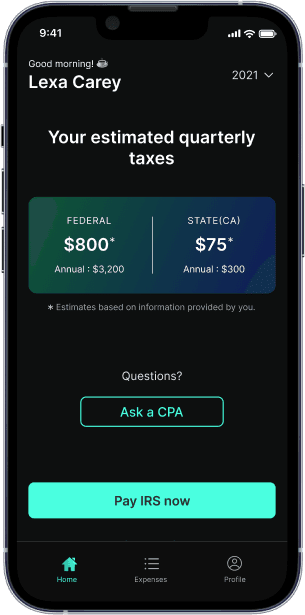
If you anticipate owing more than $1,000 in taxes for the year, you can be obliged to pay quarterly estimated taxes as an OnlyFans creator. Here's how to accomplish it: Make four payments during the year, each of which represents an estimate of the tax due on your income for the quarter. The IRS may impose penalties for underpayment or nonpayment of these estimated taxes.
Form 1040-ES: To submit these quarterly payments, use Form 1040-ES. You can estimate your tax burden using this form and adjust your payments accordingly.
For those who have missed previous tax filings, here's a guide onhow to file back taxes.
Final Thoughts
It takes careful attention to detail and a thorough comprehension of the tax regulations to report your OnlyFans income on your taxes. You may guarantee adherence to IRS rules and prevent fines by taking these actions and using the right forms. Maintaining precise records of your income and outlays is essential for submitting your tax return. For individualized advice, think about speaking with a tax expert if you have any questions about any part of the procedure.
You'll be ready to handle the world of OnlyFans taxes and make sure you're appropriately reporting your income if you follow this advice. Continue to be orderly, obedient, and creative.
For a quick estimation of your tax obligations, consider using afreelance tax calculator.
What’s FlyFin?


Expert tax CPAs ensure 100%-accurate tax filing

A.I. finds every tax deduction, eliminating 95% of your work

On average users save $3,700