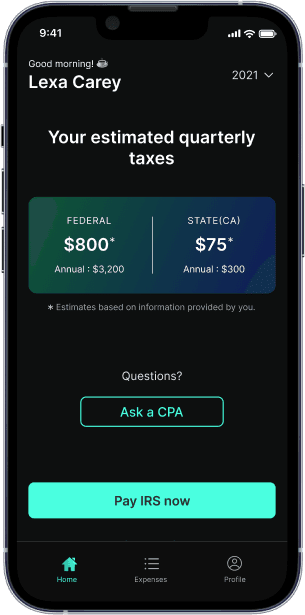
Quarterly tax deadline is Jan 15. See how much you owe penalties
1099 Tax Calculator

Are you self-employed?
This includes freelancers and business owners.
How to Amend a Tax Return: Determining Your Taxable DoorDash Income
Managing taxes as a self-employed DoorDash driver can be challenging. However, you can make sure that you're appropriately reporting your income and lowering your tax liabilities if you have the appropriate resources and skills. This post will outline the essential procedures for figuring out your DoorDash income for tax purposes, including how to submit your overall income, monitor tips and bonuses, and keep tabs on your spending and distance.
Table of contents
Understanding Your Tax Obligations
Understanding your tax obligations is crucial to ensure you are in compliance with tax laws and regulations. As a taxpayer, you are required to file a federal income tax return (Form 1040) annually, reporting your income, deductions, and credits. If you discover an error or omission on your original return, you may need to file an amended return (Form 1040-X) to correct the mistake. Filing an amended return is essential to avoid penalties, interest, and potential audits. By staying informed about your tax obligations, you can ensure that you are meeting all necessary requirements and maintaining good standing with the IRS.
Declaring Your Entire DoorDash Income
Knowing your total earnings is the first step in figuring out how much money you may deduct from your taxes from DoorDash.Gross earningsare the total money you have received from DoorDash before any costs or deductions are made. This number is important since it forms the basis for all of your tax computations.
DoorDash provides statements that you can utilize to determine your gross earnings. Usually, these statements list your base compensation as well as any tips you have collected for each delivery. These statements can be used as follows:
- Open the Dasher App: To begin, launch your device's DoorDash app.
- EarningsStatements: Open the "Earnings" area and choose "Earnings Statements."
- Select the Year: Choose the year you wish to see your profits for. You might not be able to see year selections if you're a new Dasher.
- Download the Statement: Select the "Save" icon to get the PDF version of the statement.
You can add up the money you've made from DoorDash after you have your earnings statement. You will be paidgross incomefor this amount.
How DoorDash Driver Tips Affect Tax Liability
Although tips are a crucial component of your income, there are certain tax ramifications associated with them.Tipsmust be included on your tax return as they are taxable income. Here is the taxation of tips:
- Include Tips in Gross Income: Increase your gross income by any tips you may have received.
- Report Tips on Form 1099-NEC: If you make more than $600 a year, DoorDash will send you aForm 1099-NEC. This form will cover your whole non-employee income, including gratuities.
- Claim Deductions for Expenses: You are able to write off charges like equipment or mileage that are associated with receiving tips.
How to Monitor and Document Bonuses and Incentive Payments with Supporting Documentation
Incentives and bonuses are extra sources of income that you must monitor and record. These may consist of:
- Pay Boosts: Certain bonuses come with a pay boost attached, raising your base pay for a set amount of time.
- Milestone Bonuses: These are bonuses given for accomplishing specific goals, such as finishing a predetermined amount of deliveries.
To monitor these bonuses:
- Examine Your Statements: Look for any incentives or bonuses on your earnings statements.
- Add to Gross Income: Raise your gross income by the amount of these bonuses.
- Report on Form 1099-NEC: Verify that your Form 1099-NEC accurately reflects these bonuses.
The Value of Monitoring Mileage and Expenses
Important deductions that can drastically lower your taxable income are mileage and costs. This is how to keep tabs on them and file a report:
- Standard Mileage Deduction: For business-related travel, you may deduct 57.5 cents per mile. Driving to your initial delivery pickup, in between deliveries, and back home at the conclusion of the day all fall under this category.
- Track Expenses: Keep track of all the money you spend on work-related expenses, including gas, maintenance, auto insurance, phone bills, and other expenditures.
- Keep a Mileage Journal: Keep track of the distance you travel for DoorDash by using a mileage journal. This will assist you in figuring up the overall mileage deduction. For more detailed guidance, learnhow to track mileage for taxes.
Monitoring Revenue and Outlays to Ensure Precise Reporting
Meticulous recording of income and expenses is necessary for accurate reporting. Here's how to go about it:
- Separate Company and Personal Spending: Make sure that your personal and company spending are kept apart. Costs associated with the business will be easy to identify and deduct as a result.
- Use Accounting Software: To assist you in keeping track of your income and expenses, think about utilizing accounting software such as FlyFin.
- Save Receipts: Save all of your business-related invoices. You can use these to back up your deductions.
Computing Earnings Using Delivery Platform Statements
You may figure out your earnings with the help of DoorDash's comprehensive statements. These statements can be used as follows:
- Download Earnings Statements: Open the DoorDash app and download your earnings statements.
- Combine Earnings: Add together all of the money you have received for each delivery.
- Include Bonuses and Gratuities: Increase your overall profits by any bonuses and gratuities.
Taking Tips and Incentives Into Account for Tax Calculations
Although tips and incentives are included in your taxable income, there are certain deductions associated with them. Here's how you can give them an explanation:
- Include Tips in Gross Income: Increase your gross income by any tips you may have received.
- Claim Deductions for Expenses: You can write off charges like equipment or mileage that are associated with receiving tips.
- Report on Form 1099-NEC: Verify that your Form 1099-NEC includes these suggestions.
Computing Taxes on Self-Employment
Paying self-employment taxes is your responsibility as an independent contractor. Here's how to figure these taxes out:
- Determine Net Profit: Take your gross income and deduct business expenditures to find your net profit.
- Calculate Self-Employment Tax: To find your self-employment tax liability, multiply your net profit by 15.3%. For a comprehensive understanding, explore more aboutself-employment tax.
- Report on Schedule SE: On Schedule SE of your tax return, report the self-employment tax.
Filing Your Federal Return
Filing your federal return is a critical step in meeting your tax obligations. You can file your federal return electronically or by mail, and it’s recommended to use tax software to ensure accuracy and efficiency. When filing your federal return, make sure to include all required supporting documentation, such as W-2s and 1099s. If you owe additional tax, you can pay online, by phone, or by mail. Direct deposit is also available for refunds, providing a faster and more secure way to receive your refund. Utilizing tax software can help streamline the process and reduce the likelihood of errors, ensuring that your federal return is filed correctly and on time.
Managing Your Tax Liability
Managing your tax liability is essential to avoid penalties and interest. If you owe additional tax, you can file an amended return (Form 1040-X) and pay the tax by the filing due date to avoid penalties and interest. You can also make payments online, by phone, or by mail. It’s crucial to keep accurate records of your tax payments and correspondence with the IRS to ensure you are meeting your tax obligations. By staying on top of your tax liability and making timely payments, you can avoid unnecessary financial burdens and maintain compliance with tax regulations.
Amending Your Return
Amending your return is a process that allows you to correct errors or omissions on your original return. You can file an amended return (Form 1040-X) electronically or by mail, and it’s recommended to use tax software to ensure accuracy and efficiency. When amending your return, make sure to include all required supporting documentation and explain the changes you are making. You can also use tax software to electronically file your amended return, which can speed up the processing time. By promptly addressing any mistakes on your original return, you can avoid potential penalties and ensure that your tax records are accurate.
State Tax Return Requirements
State tax return requirements vary depending on the state you reside in. Some states require you to file a state tax return, while others do not. If you need to file a state tax return, you can use tax software to ensure accuracy and efficiency. When filing your state tax return, make sure to include all required supporting documentation and follow the state’s specific instructions. You can also electronically file your state tax return, which can speed up the processing time. By understanding and adhering to your state’s tax return requirements, you can ensure that you are fully compliant with both federal and state tax laws.
Federal Income Tax Return for DoorDash Drivers
As a DoorDash driver, there are various stages involved in filing taxes. Here’s how to go about it:
- Collect Forms: Compile all required documentation, such as your Form 1099-NEC.
- Calculate Taxable Income: Deduct your deductions from your gross income to determine your taxable income.
- File Form 1040: Send your self-employment income and taxes to the IRS by filing Form 1040.
- Pay Estimated Quarterly Taxes: You must make estimated quarterly tax payments if you anticipate owing self-employment taxes totaling at least $1,000. For more insights, see how muchindependent contractors pay in taxescompared to other entities.
If you discover errors or omissions in your original return, you may need to file an amended federal return (Form 1040-X). It is crucial to submit a corrected return promptly to avoid accruing interest and penalties on any owed taxes. Many states require attaching an amended federal return to the state return, and while some states allow e-filing, others may require paper submissions. You can also check the status of amended returns for prior tax years, ensuring that any changes made are accurately reported, including the tax paid on both original and amended returns.
Final Thoughts
Paying taxes on DoorDash income necessitates careful consideration of all the tax ramifications. You may be sure that you're appropriately reporting your income and lowering your tax obligations by adhering to these guidelines. Don't forget to record your gross pay, mileage, tips, bonuses, and costs. To compute your earnings and make sure you're including all relevant information on your tax return, use the DoorDash statements. With the correct resources and understanding, you can confidently navigate the tax world. For the latest updates, check out thetax law changes for 2024.
Extra Advice on Using Tax Software
- Set Away 25-30% for Taxes: To help you avoid rushing when tax deadlines arrive, it is suggested to set away 25-30% of your profits for taxes.
- Use Tax Software: To assist you with the tax filing procedure, think about utilizing tax software such as FlyFin.
- Speak with a Tax Expert: It's wise to get the opinion of a tax expert if you have any questions about any aspect of the procedure. They can offer you tailored guidance.
These pointers and recommendations will help you navigate the challenges of figuring up DoorDash income for tax purposes. Recall that maintaining compliance with tax regulations and reducing your tax responsibilities depend on proper reporting.
What’s FlyFin?


Expert tax CPAs ensure 100%-accurate tax filing

A.I. finds every tax deduction, eliminating 95% of your work

On average users save $3,700